
If you want the most flexible “install whatever you want” experience in the cloud, with good performance for both games and other GPU work, Boosteroid is basically the smartest first choice right now. If you instead want maximum image quality, low latency and RTX support in selected titles, NVIDIA GeForce NOW is still the reference. For those who mainly play in the Xbox ecosystem, want to jump between console, PC and mobile and already have Game Pass, Xbox Cloud Gaming is the most convenient option. The rest of the list is about how much you want “pure” game streaming, full Windows desktop or a family-friendly subscription with included games.
Cloud gaming has gone from gimmick to fully realistic alternative in recent years. Instead of buying a new GPU every three years, you basically rent a gaming PC in a data center and stream the image to your phone, laptop or TV. For the right games and the right network, the experience can get dangerously close to “native” – but the differences between services are huge when it comes to image quality, latency, game catalog and how locked-in you are to one ecosystem. This guide walks through the cloud platforms that are actually worth your time today, from “PC rental” services where you install everything yourself to subscriptions with curated libraries. The focus is on how they feel to use in 2026: input lag, price versus performance, which stores are supported, how easy it is to get started and how much you get stuck in proprietary solutions.
| Rank | Service | Best for | Why |
|---|---|---|---|
| #1 | Boosteroid | Flexible “own” gaming PC in the cloud | Good balance between price, performance and the game library you own yourself |
| #2 | NVIDIA GeForce NOW | Maxed-out image quality & RTX | Brutally good streaming quality with support for major PC stores |
| #3 | Xbox Cloud Gaming | Game Pass games on everything | The easiest way in if you already have Game Pass Ultimate |
| #4 | Shadow PC | Full Windows PC in the cloud | You rent an entire PC, not just a streaming client |
| #5 | Amazon Luna | “Channels” and casual games | Simple subscription model with different channels and good Fire ecosystem |
| #6 | PlayStation Cloud Streaming | PlayStation-exclusive games in the cloud | Perfect if you want to play PS classics without a physical console |
| #7 | airgpu | Tech-savvy users who like to tweak | Flexible instances and good performance, but requires more tinkering |
| #8 | Blacknut | Family-friendly all-you-can-play | Large library and focus on shared family use |
| #9 | Highscore | Early-adopter crowd | Aiming to be “Steam on every device”, still young |
| #10 | NetBoom | Mobile-first cloud gaming | Easy way to test PC games on mobile, but uneven image quality |
What actually makes a cloud gaming service good
Cloud gaming is more than just “does the game stream at all?”. Four things determine whether a service actually holds up in everyday use: latency, image quality, flexibility in the game library and economics & lock-in.
- Latency: for action games, shooters and fighters, you want to get down towards 30–40 ms total input delay from keypress to image. Anything over 70–80 ms starts to feel like “molasses”. Services with servers close to the Nordics and good encoding (e.g. NVIDIA’s codec or modern AV1 variants) have a clear advantage here.
- Image quality: bitrate, resolution and codec determine how much detail survives compression. Low bitrate gives smeared shadows and artifacts in fast motion, which is especially noticeable in dark games. Services like GeForce NOW can go up to 4K/120 Hz on the right hardware, while mobile-oriented platforms often prioritize 1080p/60 with aggressive compression.
- Library flexibility: can you install your Steam/Epic/Ubisoft games, or are you locked into a curated library where titles can disappear? Boosteroid, GeForce NOW, Shadow and airgpu are strong here, while Xbox Cloud Gaming, Luna and Blacknut work more like Netflix – great as long as the games you want remain in the catalog.
- Economics & lock-in: the price has to be weighed against what you actually get. A pure streaming service where games are included can be expensive if you already own them on PC. At the same time, a cloud PC with hourly billing can get pricey fast if you play many hours. Ask yourself: do you want your main platform in the cloud, or just a complement to an existing PC/console?
#1 Boosteroid
#1

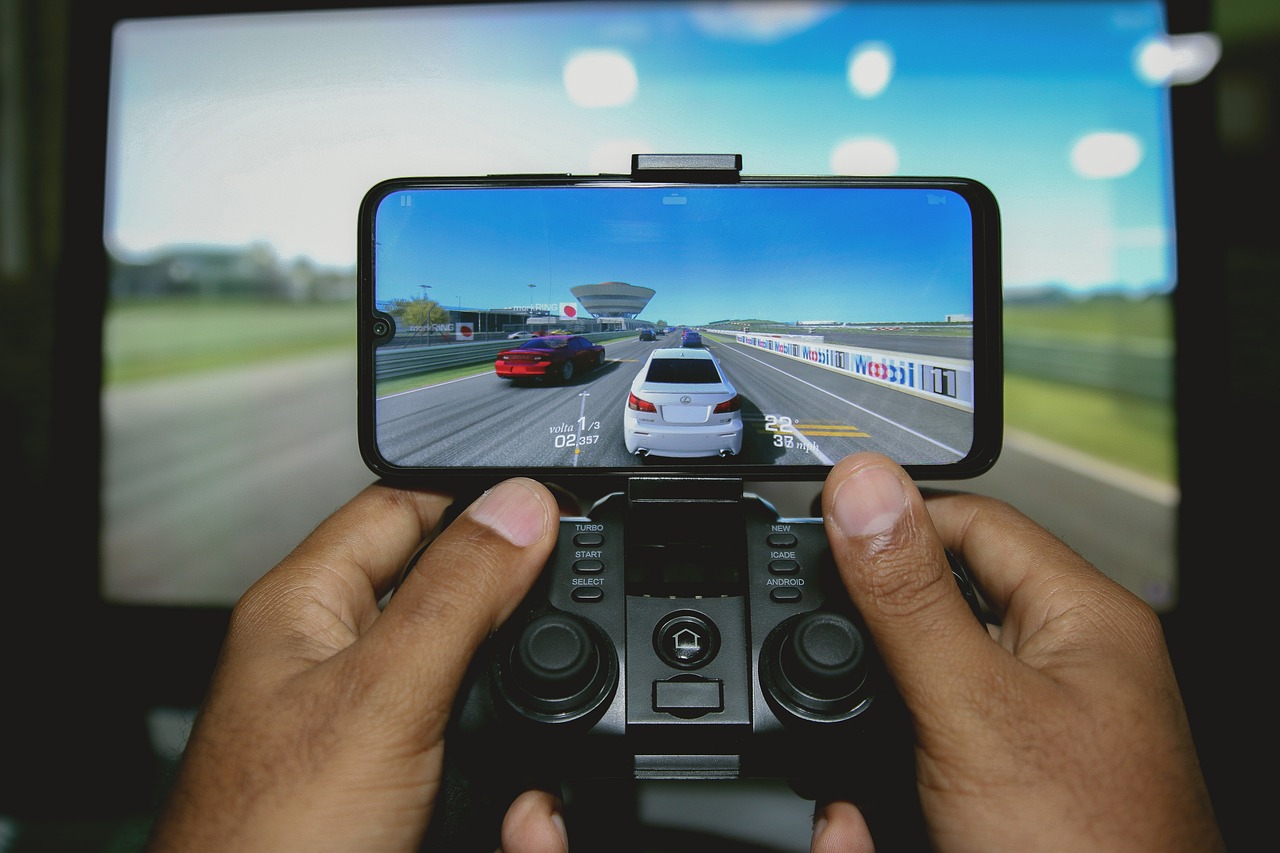
Boosteroid has risen to become a favorite for many because it hits a very nice sweet spot between a “real” cloud PC and a turnkey streaming service. You log in, connect Boosteroid to your existing libraries (Steam, Epic, etc.) and then start games directly in their client without having to mess with a full Windows desktop. In practice it feels more like a console: start the game, play, quit.
The strength here is flexibility without excessive hassle. You’re not locked to a tiny list of “approved” titles; Boosteroid actively builds support for new games and many PC classics. At the same time, you avoid a lot of the pain of remote desktops and custom config that some cloud PC solutions require. That makes the service excellent both as a primary platform on a weak laptop and as a “second machine” for heavier games when you’re on a Chromebook or Mac.
Performance-wise Boosteroid does well in the Nordics as long as you have stable fiber (preferably wired or really solid Wi-Fi 5/6). Input lag is low enough for everything from single-player adventures to lighter shooters, even if hardcore esports in CS2 or Valorant still feel best locally. Image quality is consistently good rather than extremely sharp – think stable 1080p/60–120 with decent bitrate rather than 4K/ultra. Price-wise Boosteroid lands in the middle: it costs more than a pure streaming service with a limited library, but much less than building your own high-end rig for the same experience.
✅ Pros
- Works with major PC stores – you own the games yourself.
- Good balance between simplicity and freedom; less hassle than a pure cloud PC.
- Stable performance for most genres.
- Clients for many platforms, including browser.
⚠️ Cons
- Doesn’t chase the same extreme 4K/120 focus as GeForce NOW’s top tier.
- Depends on your favorite games having official support.
- Not quite as “plug-and-play” as Xbox Cloud Gaming for Game Pass players.
Who is it for? Boosteroid is an excellent choice if you want a cloud PC that feels like a console: you log in, start your existing games and forget about the tech. Especially good if you play a lot of single-player PC titles, RPGs, strategy games and co-op.
#2 NVIDIA GeForce NOW
#2
GeForce NOW is still the most technically impressive cloud gaming solution. On a good line it often feels like sitting at a local RTX rig, especially on the higher tiers where you get access to virtual 4080-class cards, high bitrate and DLSS/RTX support in compatible games. In the Nordics, with stable fiber, the experience can be astonishingly good in fast games – provided you’re relatively close to an NVIDIA node. The basic idea is simple: you connect GeForce NOW to your libraries (Steam, Epic, Ubisoft Connect, etc.) and launch games through NVIDIA’s launcher. However, the service has a curated list of supported titles, which means not all Steam games work even if you own them. Most big AAA games and popular live-service titles are included, but more niche indies may be missing. The big strengths are image quality and latency. With the right plan and screen you get 1440p or 4K, high refresh rates and solid HDR support. This makes GeForce NOW particularly interesting if you have a good gaming monitor or TV but a weak PC or notebook. At the same time, there are friction points: queues and session limits on the free and mid-tiers, the restriction to supported titles, and premium pricing that starts to feel like a “monthly season ticket” rather than a casual service.
✅ Pros
- Best overall image quality and latency in the cloud right now.
- RTX, DLSS and high refresh rates for compatible games.
- Extensive support for popular PC stores and AAA libraries.
- Free tier to test the core experience.
⚠️ Cons
- Only titles on NVIDIA’s support list work.
- Premium plans can get expensive over time.
- The UI can feel more technical than console-like alternatives.
Who is it for? Players who care a lot about image quality and low latency, play many competitive games and already have a large Steam/Epic library.
#3 Xbox Cloud Gaming
#3
Xbox Cloud Gaming is the logical first choice if you already pay for Game Pass Ultimate. Instead of only downloading games locally on PC or Xbox, you can start them directly in the cloud via browser, mobile app or compatible smart TVs. That makes the barrier to entry incredibly low: find the game in the Game Pass app, click the cloud icon, play. No installs, no patches. The strength is the ecosystem. You get Microsoft first-party titles on day one (Forza, Starfield, etc.) plus a constant rotation of third-party games. Progress is saved to your Xbox account, meaning you can start in the cloud, continue on console and finish on PC if you like. For RPGs, racing games, indies and story-driven titles, latency requirements are forgiving enough that cloud play feels totally fine. The downsides? Image quality is good but not best-in-class – 1080p/60 is usually the ceiling, and bitrate is lower than on GeForce NOW’s top tier. You also can’t stream all games you own, only those on Game Pass that are marked for the cloud. For fast competitive shooters where every millisecond counts, you’ll still want a local install. But for “couch gaming” and trying lots of new titles, the service is fantastic.
✅ Pros
- Included in Game Pass Ultimate – no extra subscription needed.
- Extremely easy onboarding, especially on mobile and TV.
- Cross-save between cloud, console and PC.
- Perfect for quickly trying new Game Pass titles.
⚠️ Cons
- Only the Game Pass library; no support for your own purchased Steam games.
- Image quality and latency lag behind GeForce NOW/Boosteroid.
- Not ideal for esports/fighting games.
Who is it for? Players already in the Xbox ecosystem who see the cloud as a convenient complement – for example when the TV is occupied or you want to continue a campaign on your tablet in bed.
#4 Shadow PC
#4

Shadow PC differs from many others on this list because you rent an entire computer in the cloud – with desktop, admin rights and full freedom. You log in via the Shadow app, land on a Windows desktop, install whatever launchers you want (Steam/Epic/etc.), add mods, use Discord, OBS or whatever you like. In practice it’s like remotely controlling a gaming PC you own yourself, just sitting in a data hall instead of at home. For power users this is gold: you can game, stream, do light video editing or CAD – all on the same machine. The downside is that Shadow requires more work – you’re responsible for installs, updates, cleaning the disk, etc. As a pure “couch gaming service” it can therefore feel heavier than Boosteroid or Game Pass streaming. Performance is solid but varies a bit depending on which plan you choose. The higher tiers handle modern AAA games on high settings in 1080p/1440p without issues – as long as your connection holds. Latency is slightly higher than the very fastest dedicated game streaming services, but still perfectly playable for most genres.
✅ Pros
- Full Windows PC – total freedom in what you install.
- Also works for things beyond gaming (rendering, video editing, etc.).
- You decide exactly which launchers, mods and tools you use.
⚠️ Cons
- More administration than a pure streaming service.
- Latency slightly higher than “thin” solutions like GeForce NOW.
- Can get expensive if you only game occasionally.
Who is it for? Anyone who wants a real gaming PC in the cloud – e.g. if you have a weak MacBook, travel a lot or want to work and play on the same remote machine.
#5 Amazon Luna
#5
Luna is Amazon’s attempt to make cloud gaming as accessible as Prime Video. Instead of bringing your own Steam library, you choose between different “channels” – e.g. a family channel, a Ubisoft channel, etc. Each channel has a curated library, and as long as you subscribe you can stream the games to Fire TV, PC, mobile and other supported devices. The advantage is simplicity: no installs, no licenses to track, and a clear monthly cost. It fits households where several people want to play occasionally or where someone wants an easy way to jump into a game without thinking about patches. Integration with Amazon’s ecosystem (Fire stick, Prime, accounts) also makes onboarding fairly painless. The downside is of course that you don’t own the games – stop paying for a channel and access disappears. For more serious PC gamers the library is also uneven; there are many good titles, but far from everything. Latency and image quality are perfectly fine for casual and many AA/AAA games, but don’t reach the same technical level as GeForce NOW’s top tiers.
✅ Pros
- Very easy model to understand for non-technical users.
- Good integration with Fire TV and the broader Amazon ecosystem.
- Several channel packages make it easy to tailor content.
⚠️ Cons
- You don’t own any games; everything is tied to the subscription.
- Not the same breadth or technical level as PC-focused services.
- Availability varies by region.
Who is it for? Households and casual gamers already in the Amazon world who want easy access to games without worrying about installs, and who aren’t dependent on exactly which titles are available next year.
#6 PlayStation Cloud Streaming
#6

Sony’s cloud solution is still a bit less known than Microsoft’s, but can be just right if you love PlayStation exclusives and don’t always have access to a physical console. With PS Plus Premium you can stream selected PS4/PS5 titles directly to PC, console and in some cases other devices. The experience is similar to Xbox Cloud Gaming: you pick a game in the library, stream it without installing and progress is tied to your PSN account. Latency and image quality are fully fine for story-heavy games, action adventures and JRPGs, but lag behind GeForce NOW and local PS5 sessions. The service is therefore best seen as a complement – a way to keep playing when you’re away from your main console. The limitations are catalog and regional availability. Not all PS games are available for streaming and some only work locally. If you primarily play on PC and don’t care about Sony’s exclusives, other cloud PC options offer more value.
✅ Pros
- Lets you play many PS classics without a physical PS5.
- Progress and trophies are preserved via PSN.
- Handy option if you move between multiple homes.
⚠️ Cons
- Limited game selection compared to the full PS catalog.
- Technically weaker than top competitors when it comes to latency.
- Requires PS Plus Premium, which isn’t the cheapest tier.
Who is it for? PlayStation fans who want to keep playing when they’re not at home, or PC players curious about Sony exclusives who don’t want to buy hardware right away.
#7 airgpu
#7
airgpu works a bit like a more technical cousin to Shadow: you create a virtual machine in a data center, choose a GPU level and pay per hour you use it. You then get full Windows access and can install whatever games, launchers and tools you want. The service often runs on top of major cloud providers, which means availability and performance can be really good if you pick the right region. The big advantage is control. You can pick cheaper instances for lighter games, scale up to heavier GPUs for rendering or AAA games, and only pay for the hours you actually use. For someone who plays in bursts – for example intense weekends followed by longer breaks – this can be more cost-effective than monthly subscriptions. The downside is that airgpu requires more technical understanding. You need to know how to create instances, connect via Parsec/Moonlight or similar, and keep an eye on hours accumulating. That makes the service more niche for power users and experimental gamers rather than mainstream consumers.
✅ Pros
- Very flexible pricing – only pay when you actually play.
- Full control over installed games, tools and OS.
- Possibility to access very powerful GPUs when needed.
⚠️ Cons
- Technical barrier; requires more knowledge than most consumer services.
- No pre-built game integration – you install everything yourself.
- Costs can be hard to track if you forget to shut down instances.
Who is it for? Users who love tweaking, want to test different GPU levels and might also use their cloud PC for more than just gaming.
#8 Blacknut
#8
Blacknut clearly targets families and more casual-oriented players. Instead of bringing your own libraries, you get access to a large selection of games – from indies and kids’ titles to some heavier games – under a single subscription. The focus is on making it easy for both adults and children to jump into games without buying them individually. The service has strong support for different devices, including smart TVs and mobile, which makes it easy to roll out across a household. Parental controls and profiles make it straightforward to manage who can access what. The downside is that you won’t find the very latest AAA releases here; rather, a “second wave” library and a bunch of hidden gems. If you see Blacknut as your only game source, it may feel a bit thin; as a complement to PC or console gaming, however, it can be good value, especially if several people in the family use it.
✅ Pros
- Very simple model for households – play as much as you want.
- Support for many devices, even low-power hardware.
- Several family-friendly features and profiles.
⚠️ Cons
- Fewer of the very latest AAA games than PC-focused services.
- You don’t own any games; everything depends on the subscription.
- Less appealing for hardcore PC gamers.
Who is it for? Families, casual gamers and anyone who wants “Netflix for games” without caring too much about technical details or building their own libraries.
#9 Highscore
#9
Highscore is still in waiting/early-access mode but is attracting interest because the ambition is clear: play your existing Steam library on any device. The idea is similar to GeForce NOW and Boosteroid, but with more focus on direct Steam integration and a simple console-like experience. Because the service is still being built, a lot is in flux: pricing, regions, hardware levels and library details can change quickly. As an early user you have to accept teething problems, queues, limited game support and features that may appear and disappear. At the same time, it can be exciting to be there from the start – you get a chance to shape the service with feedback and be ahead of the curve if it delivers on its promises.
✅ Pros
- Ambitious focus on full Steam support.
- Potentially strong option once fully launched.
- Fun for early adopters to follow and influence development.
⚠️ Cons
- Still under development – a lot can change.
- Unclear long-term pricing and sustainability.
- Not the right choice if you want something fully mature today.
Who is it for? Early adopters who like testing new platforms and don’t mind some friction in exchange for being at the forefront when the service matures.
#10 NetBoom
#10
NetBoom is one of several mobile-oriented cloud gaming apps that promise “PC games on any phone”. On paper it sounds fantastic, and for some titles it actually works surprisingly well – especially strategy games, RPGs and games with built-in gamepad support. You install the app, log in and can start streaming a selection of PC titles to your phone. The challenge is that NetBoom doesn’t reach the same technical level as the top players on this list. Bitrate and input lag vary, the libraries are more limited and app-store billing means that prices and terms can differ between regions. For shorter sessions and as a “try PC games on mobile” tool it can still be fun, but you shouldn’t see NetBoom as your primary gaming platform.
✅ Pros
- Very easy to try – just install the app and go.
- Works okay for less latency-sensitive genres.
- Gives a quick taste of PC games without a computer.
⚠️ Cons
- Uneven image quality and latency compared to larger players.
- Libraries and terms can vary a lot.
- Not suitable as a main platform for serious gaming.
Who is it for? Curious mobile gamers who want to try PC games on their phones without committing to bigger cloud PC deals, and who accept some compromises in quality.
Which cloud gaming service should you choose?
In practice, the choice comes down to three questions: 1) Do you already own a lot on Steam/Epic/Xbox/PlayStation? 2) Do you want a primary gaming platform or just a complement? 3) Are you okay with a bit of technical tinkering?
- Want your “main PC” in the cloud and own lots of PC games? Pick Boosteroid or GeForce NOW depending on whether you want more freedom (Boosteroid) or extreme image quality (GFN).
- Just want to make your existing gaming PC portable? Shadow or airgpu let you rent a PC remotely with a full Windows environment.
- Already in the Xbox or PlayStation ecosystems? Use Xbox Cloud Gaming and PlayStation Cloud Streaming respectively as an extension of your console.
- Want the whole family to play a bit of everything? Look at Amazon Luna and Blacknut, where the library is included in the subscription.
- Love trying new things and don’t mind early-stage bugs? Keep an eye on Highscore – it could become very interesting once fully launched.